Boutique

4 résultats affichés

Panier

Инструкции за употреба


  • Стъпки за рисуване с шаблони
  1. Поставете картата-шаблон. Подравнете картата върху екрана на Poggy Pad (или в предвидените водачи/щипки), така че изображението да е стабилно.
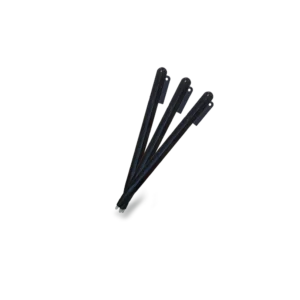
  2. Очертайте контурите. С Poggy Pen внимателно проследете линиите на картата, докато се появят върху екрана.
  3. Извадете картата. Отстранете шаблона, за да видите само вашата собствена рисунка върху екрана.
  4. Запазване на рисунката. Натиснете бутона „Lock“ (Заключване) или преместете превключвателя Lock в позиция ON, за да предотвратите случайно изтриване.
  5. Изтриване на рисунката. Ако желаете да изчистите екрана, деактивирайте Lock (ако е активен), след което натиснете бутона „Erase/Изтриване“.
  • Стъпки за рисуване без шаблони
  1. Извадете писалката Poggy Pen и започнете да рисувате или пишете директно върху екрана.
  2. Натиснете бутона „Изтриване“, за да изчистите екрана.
  3. Използвайте бутона „Заключване“, за да запазите рисунката и да предотвратите случайно изтриване.

Ceci fermera dans 0 secondes

How to use


  • Steps for drawing with stencils
  1. Place the stencil card. Align the card on the Poggy Pad screen (or in the designated guides/clips) so the image is stable.
  2. Trace the outlines. With the Poggy Pen, carefully trace the lines on the card until they appear on the screen.
  3. Remove the card. Remove the stencil to see only your own drawing on the screen.
  4. Save the drawing. Press the “Lock” button or move the Lock switch to the ON position to prevent accidental erasing.
  5. Erase the drawing. If you want to clear the screen, deactivate Lock (if active), then press the “Erase” button.
  • Steps for drawing without stencils
  1. Remove the Poggy Pen and start drawing or writing directly on the screen.
  2. Press the “Erase” button to clear the screen.
  3. Use the “Lock” button to save the drawing and prevent accidental erasing.

Ceci fermera dans 0 secondes

Mode d'emploi


  • Étapes pour dessiner avec des pochoirs
  1. Placez la carte-pochoir. Alignez la carte sur l’écran du Poggy Pad (ou dans les guides/pinces prévus) afin que l’image reste stable.
  2. Tracez les contours. Avec le Poggy Pen, suivez délicatement les lignes du pochoir jusqu’à ce qu’elles apparaissent à l’écran.
  3. Retirez la carte. Enlevez le pochoir pour voir uniquement votre propre dessin sur l’écran.
  4. Enregistrez le dessin. Appuyez sur le bouton « Lock » ou basculez l’interrupteur Lock en position ON pour éviter tout effacement accidentel.
  5. Effacez le dessin. Si vous souhaitez nettoyer l’écran, désactivez le mode Lock (s’il est activé), puis appuyez sur le bouton « Erase ».
  • Étapes pour dessiner sans pochoirs
  1. Retirez le Poggy Pen et commencez à dessiner ou écrire directement sur l’écran.
  2. Appuyez sur le bouton « Erase » pour effacer l’écran.
  3. Utilisez le bouton « Lock » pour sauvegarder le dessin et éviter toute suppression accidentelle.

Ceci fermera dans 0 secondes

Retour en haut