Sale!

Special offer

Original price was: 40,80 €.Current price is: 36,80 €.

  • PoggyPad Magic + PoggyPad Adventure Set – double the imagination, double the fun!
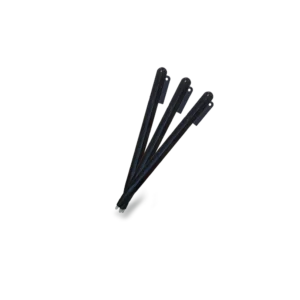
  • Product name: 2 Personalized drawing sets PoggyPad Magic + PoggyPad Adventure – erasable drawing pads and LCD writing tablets with 2×20 templates (40 images), creative boards for kids, 2 PoggyPens.

Availability: 491 in stock

Give your child double the adventure with the exclusive PoggyPad Magic & Adventure set!
Two interactive tablets that boost imagination, fine motor skills, and creative thinking – no ink, no paper, no cables.
A perfect bundle for families and siblings – at a special lower price.

✨ Discover the unique PoggyPad Magic + Adventure set

Created with love between France and Bulgaria, the world of Poggy keeps expanding!
With this special bundle, your children will dive into two exciting worlds:

🌟 PoggyPad Magic – a journey to the Land of Magic, where every line sparkles and every touch creates a little miracle.

🗺️ PoggyPad Adventure – an exploration through forests, mountains, and seas, where the little whale Poggy guides children to new discoveries and stories.

🎨 Two tablets – endless creativity

With every PoggyPad tablet, kids can draw, erase, and start again – as many times as they want.
No paper, no ink, no chargers.
It’s an eco-friendly and fun solution that blends play, learning, and imagination 🌍.

Bundle advantages:
✅ Clear and sensitive screen, perfect for little hands
✅ Ergonomic stylus for comfortable drawing
✅ Light and durable design – ideal for school and travel
CR2025 battery – months of use without recharging
Themed cards for inspiration and creative development

💡 Why choose the PoggyPad Duo set?

💰 You save when buying both tablets together

👩‍👧 Ideal for families with two children

🎁 A wonderful and educational gift

♻️ Eco-friendly – 1 Poggy = over 1000 sheets of paper saved

How does it work?

  • 1

    Place the selected card

    Place the card in the designated area on the tablet. If you want to draw freely — skip this step and start directly.

  • 2

    Trace with the Poggy Pen

    Trace the outlines until they appear on the screen. Remove the card — only your drawing remains. Without a template: draw/write directly.

  • 3

    Save the drawing (Lock)

    Slide the Lock button to ON to prevent the drawing from being erased. This button protects from accidental deletion.

  • 4

    Erase and start again (Erase)

    Turn Lock OFF, then press “Erase” or the trash-bin icon on the tablet. The screen clears instantly and you can begin a new adventure.

Reviews

There are no reviews yet.

Be the first to review “Special offer”

Your email address will not be published. Required fields are marked *

Details

  • 1

    Place the selected card

    Place the card in the designated area on the tablet. If you want to draw freely — skip this step and start directly.

  • 2

    Trace with the Poggy Pen

    Trace the outlines until they appear on the screen. Remove the card — only your drawing remains. Without a template: draw/write directly.

  • 3

    Save the drawing (Lock)

    Slide the Lock button to ON to prevent the drawing from being erased. This button protects from accidental deletion.

  • 4

    Erase and start again (Erase)

    Turn Lock OFF, then press “Erase” or the trash-bin icon on the tablet. The screen clears instantly and you can begin a new adventure.

Shopping cart

Инструкции за употреба


  • Стъпки за рисуване с шаблони
  1. Поставете картата-шаблон. Подравнете картата върху екрана на Poggy Pad (или в предвидените водачи/щипки), така че изображението да е стабилно.
  2. Очертайте контурите. С Poggy Pen внимателно проследете линиите на картата, докато се появят върху екрана.
  3. Извадете картата. Отстранете шаблона, за да видите само вашата собствена рисунка върху екрана.
  4. Запазване на рисунката. Натиснете бутона „Lock“ (Заключване) или преместете превключвателя Lock в позиция ON, за да предотвратите случайно изтриване.
  5. Изтриване на рисунката. Ако желаете да изчистите екрана, деактивирайте Lock (ако е активен), след което натиснете бутона „Erase/Изтриване“.
  • Стъпки за рисуване без шаблони
  1. Извадете писалката Poggy Pen и започнете да рисувате или пишете директно върху екрана.
  2. Натиснете бутона „Изтриване“, за да изчистите екрана.
  3. Използвайте бутона „Заключване“, за да запазите рисунката и да предотвратите случайно изтриване.

This will close in 0 seconds

How to use


  • Steps for drawing with stencils
  1. Place the stencil card. Align the card on the Poggy Pad screen (or in the designated guides/clips) so the image is stable.
  2. Trace the outlines. With the Poggy Pen, carefully trace the lines on the card until they appear on the screen.
  3. Remove the card. Remove the stencil to see only your own drawing on the screen.
  4. Save the drawing. Press the “Lock” button or move the Lock switch to the ON position to prevent accidental erasing.
  5. Erase the drawing. If you want to clear the screen, deactivate Lock (if active), then press the “Erase” button.
  • Steps for drawing without stencils
  1. Remove the Poggy Pen and start drawing or writing directly on the screen.
  2. Press the “Erase” button to clear the screen.
  3. Use the “Lock” button to save the drawing and prevent accidental erasing.

This will close in 0 seconds

Mode d'emploi


  • Étapes pour dessiner avec des pochoirs
  1. Placez la carte-pochoir. Alignez la carte sur l’écran du Poggy Pad (ou dans les guides/pinces prévus) afin que l’image reste stable.
  2. Tracez les contours. Avec le Poggy Pen, suivez délicatement les lignes du pochoir jusqu’à ce qu’elles apparaissent à l’écran.
  3. Retirez la carte. Enlevez le pochoir pour voir uniquement votre propre dessin sur l’écran.
  4. Enregistrez le dessin. Appuyez sur le bouton « Lock » ou basculez l’interrupteur Lock en position ON pour éviter tout effacement accidentel.
  5. Effacez le dessin. Si vous souhaitez nettoyer l’écran, désactivez le mode Lock (s’il est activé), puis appuyez sur le bouton « Erase ».
  • Étapes pour dessiner sans pochoirs
  1. Retirez le Poggy Pen et commencez à dessiner ou écrire directement sur l’écran.
  2. Appuyez sur le bouton « Erase » pour effacer l’écran.
  3. Utilisez le bouton « Lock » pour sauvegarder le dessin et éviter toute suppression accidentelle.

This will close in 0 seconds

Scroll to Top