Poggy – креативност без граници

Poggy – Creativity without limits

Poggy – Créativité sans limites

Детски таблет за рисуване и въображение – без екрани, без хартия, с магията на играта.

Kids’ drawing tablet – no screens, no paper, just the magic of play.

Tablette de dessin pour enfants – sans écran, sans papier, avec la magie du jeu.

Products

📒 8.5″ LCD tablet

PoggyPad Magic

20.40 €/ 39,90 лв.

Lightweight and easy-to-use tablet for drawing and writing. Erase button, lock switch to keep drawings, and a Poggy Pen stylus.
Designed and created in France and Bulgaria.

About us
📒 8.5″ LCD tablet

PoggyPad Adventure

20.40 €/ 39,90 лв.

Lightweight and easy-to-use tablet for drawing and writing. Erase button, lock switch to keep drawings, and a Poggy Pen stylus.
Designed and created in France and Bulgaria.

About us
🔥 Special offer

Special starter offer

40,80 € / 79.80 лв.36,80 € / 72.00 лв.

Bundle with PoggyPad Magic + PoggyPad Adventure – two interactive tablets for double imagination and fun, at a special promo price.
Designed and created in France and Bulgaria.

About us
Set: 3 pcs

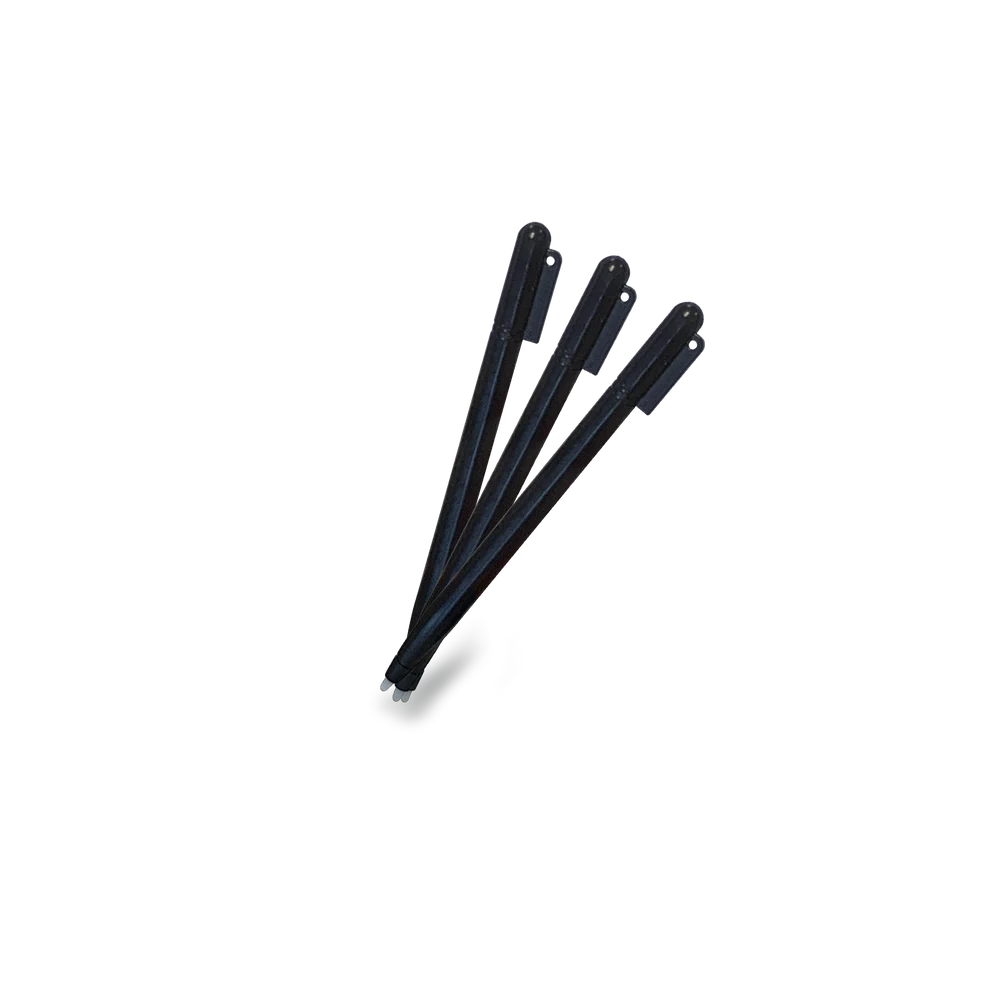
PoggyPen – Tablet pens

5.06 €/ 9,90 лв.

A set of replacement pens for even more drawing and play. Fully compatible with PoggyPad tablets.
Designed and created in France and Bulgaria.

About us

Защо Poggy?

Why Poggy?

Pourquoi Poggy ?

Три причини, поради които децата го обожават, а родителите – още повече.

Three reasons kids love it—and parents even more.

Trois raisons pour lesquelles les enfants l’adorent—et les parents aussi.

Развитие на креативността

Creativity development

Développement de la créativité

Стимулира въображението и фината моторика.

Stimulates imagination and fine motor skills.

Stimule l’imagination et la motricité fine.

Играй • Рисувай • Твори Play • Draw • Create Jouer • Dessiner • Créer

Еко алтернатива

Eco alternative

Alternative éco

Заменя стотици листове хартия.

Replaces hundreds of sheets of paper.

Remplace des centaines de feuilles de papier.

1000+ листа/година • ~24 лв спестени 1000+ sheets/year • ~€12 saved 1000+ feuilles/an • ~€12 d’économies

Семейна игра

Family play

Jeu en famille

Родители и деца творят заедно.

Parents and kids create together.

Parents et enfants créent ensemble.

Използван от 1000+ семейства Trusted by 1000+ families Adopté par 1000+ familles

Как работи?

How it works

Comment ça marche

Една ясна колона. Четири стъпки. В тон с визуалната система на сайта.

One clear column. Four steps. Styled to match the site.

Une colonne claire. Quatre étapes. Aligné au style du site.

  • 1

    Постави избраната карта

    Постави картата на обозначеното място на таблета. Ако рисуваш свободно — пропусни тази стъпка и започни директно.

    Place a stencil (or draw freehand)

    Align the card in the guides so it’s stable. Freehand? Skip and start right away.

    Place un gabarit (ou dessine librement)

    Aligne la carte dans les repères. En libre ? Commence directement.

  • 2

    Очертай с Poggy Pen

    Проследи контурите до появата им на екрана. Извади картата — остава само рисунката. Без шаблон: рисувай/пиши директно.

    Trace with the Poggy Pen

    Follow the lines until they appear. Remove the card to keep only your drawing. Freehand: draw or write directly.

    Trace avec le stylet Poggy

    Suis les traits jusqu’à leur apparition. Retire la carte pour ne garder que le dessin.

  • 3

    Запази рисунката (Lock)

    Плъзни бутона Lock на ON, за да блокираш изтриването на рисунката. Този бутон предпазва от случайно изтриване.

    Save your drawing (Lock)

    Switch Lock to ON to disable Erase and avoid accidental clearing.

    Garde ton dessin (Lock)

    Passe le verrou sur ON pour empêcher l’effacement involontaire.

  • 4

    Изтрий и започни наново (Erase)

    Изключи Lock (OFF), после натисни „Изтриване“ или иконата на кошчето на таблета. Екранът се изчиства мигновено и можеш да започнеш ново приключение.

    Clear and start over (Erase)

    Turn Lock OFF, then press “Erase”. The board clears instantly.

    Efface et recommence (Erase)

    Désactive le verrou, puis appuie sur « Erase » pour nettoyer l’écran.

Loading

Parent zone

“With Poggy, children develop their skills in a safe and natural way, while parents can rely on helpful tips and resources for learning and play.”

Read more articles

See more

Share your favourite game with Poggy

Send

Contact us for personal ideas and tips

Contact

FREQUENTLY ASKED QUESTIONS

Yes, all prices include VAT.

We accept cash on delivery and online payments with credit or debit cards, processed through DSK POS.

Enter the promotional code at checkout in the field “promo code or gift card.”

Enter the card code in the same field during checkout.

Check your spam folder. If the confirmation is still missing, contact us.

Unfortunately, once confirmed, orders cannot be cancelled or modified, as the system is connected to the warehouse in real time.

What parents say

Poggy Club

Join Poggy Club and become part of our creative family. Games, prizes and inspiration are waiting for you!

Free registration Games & prizes Inspiration every month

Subscription is free. You can unsubscribe at any time.

Newsletter

News, new products and behind-the-scenes stories – straight to your inbox.

“Draw with Poggy” contests

Upload your kids’ drawings, collect votes and win themed prizes.

Wall of fame

The best drawings from the community – a fresh selection every month.

Еко-мисия

Eco Mission

Mission Éco

С Poggy децата рисуват отново и отново, без да използват хартия. Един таблет спестява 1000+ листа годишно. По-малко отпадък, повече творчество.

With Poggy, kids draw again and again—no paper. One pad saves 1000+ sheets/year. Less waste, more creativity.

Avec Poggy, on dessine sans papier. Une tablette économise 1000+ feuilles/an. Moins de déchets, plus de créativité.
Зелено с Poggy Go green with Poggy Vert avec Poggy

1 Poggy = 1000+ спестени листа

1 Poggy = 1000+ sheets saved

1 Poggy = 1000+ feuilles économisées

Рисувай, изтривай и започвай отначало — колкото пъти поискаш.

Poggy и екологичното бъдеще

Draw, erase, repeat — as many times as you like.

Dessine, efface, recommence — à l’infini.
Без мастило и консумативи

No ink, no consumables

Sans encre ni consommables

LCD-плочата работи без мастила и отпадък.

Poggy и Европейският зелен пакт

LCD surface works with zero ink and zero waste.

Surface LCD : zéro encre, zéro déchet.
Месеци работа с CR2025

Months of use with CR2025

Des mois d’usage avec CR2025

Лесна подмяна. Без кабели и зарядни.

Easy to replace. No cables or chargers.

Remplacement facile. Sans câbles ni chargeurs.
Научи повече Learn more En savoir plus
Спести над 1000 листа хартия годишно с един Poggy.
Sheets saved per year with one Poggy.
Feuilles économisées par an avec un Poggy.
CERoHS
Съответства на европейските стандарти за безопасност и материали.
Complies with European safety and materials standards.
Conforme aux normes européennes de sécurité et de matériaux.
Многократна употреба: рисувай/изтривай — без отпадък от хартия и мастила. Reusable: draw/erase — no paper or ink waste. Réutilisable : dessine/efface — zéro papier, zéro encre. ~24 лв/год. хартия ~€12/year paper ~€12/an papier

Започни своето приключение с Poggy още днес!

Start your Poggy adventure today!

Commence ton aventure Poggy dès aujourd’hui !

Без екрани. Без хартия. Само магията на играта.

No screens. No paper. Just the magic of play.

Sans écran. Sans papier. Juste la magie du jeu.

Shopping cart

Инструкции за употреба


  • Стъпки за рисуване с шаблони
  1. Поставете картата-шаблон. Подравнете картата върху екрана на Poggy Pad (или в предвидените водачи/щипки), така че изображението да е стабилно.
  2. Очертайте контурите. С Poggy Pen внимателно проследете линиите на картата, докато се появят върху екрана.
  3. Извадете картата. Отстранете шаблона, за да видите само вашата собствена рисунка върху екрана.
  4. Запазване на рисунката. Натиснете бутона „Lock“ (Заключване) или преместете превключвателя Lock в позиция ON, за да предотвратите случайно изтриване.
  5. Изтриване на рисунката. Ако желаете да изчистите екрана, деактивирайте Lock (ако е активен), след което натиснете бутона „Erase/Изтриване“.
  • Стъпки за рисуване без шаблони
  1. Извадете писалката Poggy Pen и започнете да рисувате или пишете директно върху екрана.
  2. Натиснете бутона „Изтриване“, за да изчистите екрана.
  3. Използвайте бутона „Заключване“, за да запазите рисунката и да предотвратите случайно изтриване.

This will close in 0 seconds

How to use


  • Steps for drawing with stencils
  1. Place the stencil card. Align the card on the Poggy Pad screen (or in the designated guides/clips) so the image is stable.
  2. Trace the outlines. With the Poggy Pen, carefully trace the lines on the card until they appear on the screen.
  3. Remove the card. Remove the stencil to see only your own drawing on the screen.
  4. Save the drawing. Press the “Lock” button or move the Lock switch to the ON position to prevent accidental erasing.
  5. Erase the drawing. If you want to clear the screen, deactivate Lock (if active), then press the “Erase” button.
  • Steps for drawing without stencils
  1. Remove the Poggy Pen and start drawing or writing directly on the screen.
  2. Press the “Erase” button to clear the screen.
  3. Use the “Lock” button to save the drawing and prevent accidental erasing.

This will close in 0 seconds

Mode d'emploi


  • Étapes pour dessiner avec des pochoirs
  1. Placez la carte-pochoir. Alignez la carte sur l’écran du Poggy Pad (ou dans les guides/pinces prévus) afin que l’image reste stable.
  2. Tracez les contours. Avec le Poggy Pen, suivez délicatement les lignes du pochoir jusqu’à ce qu’elles apparaissent à l’écran.
  3. Retirez la carte. Enlevez le pochoir pour voir uniquement votre propre dessin sur l’écran.
  4. Enregistrez le dessin. Appuyez sur le bouton « Lock » ou basculez l’interrupteur Lock en position ON pour éviter tout effacement accidentel.
  5. Effacez le dessin. Si vous souhaitez nettoyer l’écran, désactivez le mode Lock (s’il est activé), puis appuyez sur le bouton « Erase ».
  • Étapes pour dessiner sans pochoirs
  1. Retirez le Poggy Pen et commencez à dessiner ou écrire directement sur l’écran.
  2. Appuyez sur le bouton « Erase » pour effacer l’écran.
  3. Utilisez le bouton « Lock » pour sauvegarder le dessin et éviter toute suppression accidentelle.

This will close in 0 seconds

Subscribe to our newsletter and receive the latest news and product information directly in your inbox.

Loading

This will close in 0 seconds

Scroll to Top